
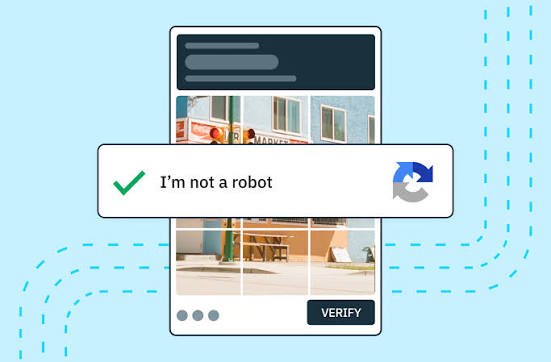
If you have ever checked a box saying “I’m not a robot” or identified objects in pictures before accessing a website, you have interacted with a CAPTCHA system. But what is a CAPTCHA challenge response, and what happens after you complete the challenge?
A CAPTCHA challenge response is information generated after a user completes a CAPTCHA verification. The website can use that response to determine whether the interaction appears legitimate before allowing an action such as submitting a form, creating an account, logging in, or sending a request.
CAPTCHA technology is primarily designed to make automated abuse more difficult while allowing legitimate visitors to continue using a website.
What Is a CAPTCHA Challenge Response?
To understand what is a CAPTCHA challenge response, it helps to separate the challenge from the response. A CAPTCHA challenge is the test presented to a visitor. It might involve selecting images, entering characters, checking a box, or completing an interaction that helps a security service assess whether the request is likely to come from a human.
The response is the resulting verification data sent to the website or CAPTCHA provider. The site’s server can then verify that response before deciding whether to accept the user’s request.
Google’s reCAPTCHA documentation and APIs use the concept of a response token that can be passed to a server for verification. This means the visible CAPTCHA interaction is only one part of the overall security process.
How Does a CAPTCHA Challenge Response Work?
When a website uses CAPTCHA protection, the browser typically loads a CAPTCHA component as part of the page. Depending on the implementation, the user may see a checkbox, an image-based challenge, or another verification experience.
After the user completes the challenge, the CAPTCHA service generates a response. The website’s backend can send that response to the appropriate verification service and receive a result indicating whether the response is valid.
This process is important because simply completing a visual challenge in the browser does not necessarily mean the website should immediately trust the request. Server-side verification provides an additional security step.
For readers interested in web security, consider adding an internal link here to your [Website Security Guide].
Why Do Websites Use CAPTCHA Responses?
The main purpose of a CAPTCHA challenge response is to help websites distinguish legitimate interactions from potentially automated activity. Automated programs can be used for spam submissions, fake account creation, credential attacks, scraping, or other abusive activities.
CAPTCHA is therefore commonly placed around actions that attackers may try to automate. For example, a website might request CAPTCHA verification before allowing repeated account registration or password-reset requests.
MDN notes that websites may use CAPTCHA during password-reset processes to make it harder for malicious parties to generate large numbers of automated requests.
CAPTCHA Challenge vs. CAPTCHA Response
The terms “challenge” and “response” are closely related, but they describe different parts of the verification process.
The CAPTCHA challenge is what the user is asked to interact with. The CAPTCHA response is the resulting verification information that the website can validate.
This distinction becomes particularly useful when troubleshooting CAPTCHA errors. A page may display a challenge correctly but still fail when the generated response cannot be verified by the server.
Understanding what is a CAPTCHA challenge response can therefore help website owners and developers diagnose problems more accurately.
What Causes CAPTCHA Challenge Response Errors?
A CAPTCHA response can fail for several technical reasons. The response may be expired, invalid, missing, or associated with a different site configuration. Network problems, browser restrictions, JavaScript issues, incorrectly configured site keys, and server-side verification problems can also interfere with the process.
Temporary failures can sometimes be resolved by refreshing the page and completing the challenge again. However, developers should investigate configuration and server-side verification when the problem repeatedly affects legitimate visitors.
For a related topic, you could internally link this section to your [Website Troubleshooting Guide].
Is a CAPTCHA Challenge Response Secure?
CAPTCHA can provide a useful layer of protection, but it should not be treated as a complete security solution. Websites still need appropriate authentication controls, rate limiting, input validation, secure session management, and monitoring.
Modern web security often combines multiple defenses rather than relying on a single verification mechanism.
It is also important to understand that CAPTCHA is not the same thing as authentication. CAPTCHA helps assess whether an interaction appears legitimate, while authentication determines whether a user or device is authorized to access something.
CAPTCHA and Challenge-Response Security
The broader concept of challenge-response authentication is also used outside traditional CAPTCHA systems. In authentication protocols, a server can issue a challenge that a client must answer correctly before access is granted.
For example, Web Authentication uses cryptographic challenges in passkey-based authentication. The server generates a challenge, and the authenticator produces a response that can be verified by the relying party.
This is technically different from a typical CAPTCHA, but both approaches use the general idea of requesting a response to a specific challenge.
Frequently Asked Questions
What is a CAPTCHA challenge response?
It is verification information produced after a CAPTCHA interaction. A website can send that response to a verification service to determine whether the request should be accepted.
Is a CAPTCHA response the same as a CAPTCHA?
Not exactly. The CAPTCHA is the verification mechanism or challenge, while the response is the information generated after the challenge is completed.
Why does my CAPTCHA response expire?
CAPTCHA responses are generally designed to be temporary. An expired response may need to be replaced by completing a new challenge.
Can a CAPTCHA response fail even when I complete the CAPTCHA?
Yes. Technical problems such as incorrect configuration, expired responses, browser issues, or server-side verification errors can cause a completed CAPTCHA to fail.
Do all websites use the same CAPTCHA system?
No. Websites can use different CAPTCHA providers and implementations, and some systems use risk-based verification rather than presenting the same visible challenge to every visitor.
Conclusion
Understanding what is a CAPTCHA challenge response makes web verification much easier to understand. The challenge is the interaction presented to the visitor, while the response is the resulting verification information that can be checked by the website or CAPTCHA provider.
CAPTCHA can help reduce automated abuse, but it works best as part of a broader website security strategy. Developers should combine CAPTCHA with appropriate server-side validation, authentication, rate limiting, and other security controls.
For reliable technical information, developers can also consult resources from Google for Developers and MDN Web Docs, which provide extensive documentation about web technologies and authentication concepts.